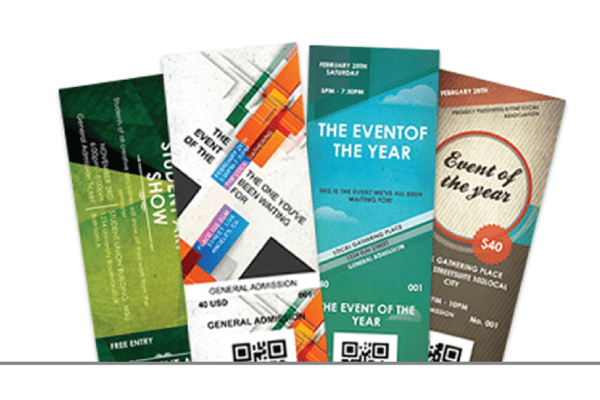
New Quick Ticket Features Online
By Brad Leary
Over the past several months, our technical staff has been hard
at work making improvements to TicketPrinting.com. While many
of the improvements are behind the scenes making the site more stable,
we wanted to take a minute and tell you about some of the new
features that will help you as a customer use our site.
Save Quick Ticket Draft
We have been hearing for a while that it would be very nice if a
person could design a ticket and save it so that they can come
back later and make changes. Now it is possible to do just that.
We have added a button on the
Quick
Ticket Pages called “Save as Draft”.
Selecting this button will cause you to log into your account and

will save your quick ticket in your account. You can return to

your ticket by visiting our website from any computer and logging
back into your account by selecting the Account tab. Your saved
draft will be available in the Saved Quotes/Drafts box on the right
hand side of the screen, directly below your order history.
Reorder Quick Tickets
It is also now possible to reorder a quick ticket or base your new
ticket order on one that you have ordered in the past. To use this
feature, begin by logging into your
account on
the www.TicketPrinting.com
website. The box in the upper right hand side of the screen will have a
list of the orders that you have placed within the last month. If your
order is not showing up there, that is OK, just select the “All Orders”
Button and it will take you to a page that will list all of the orders
that you have placed with us since the beginning of 2005. When you click
on any order it will show you the contents of that order. Quick Tickets
ordered after June of this year will have a little “reorder” link next to
their title. Select this link to begin editing that ticket in preparation
for your next order.
Quick Ticket Advertising
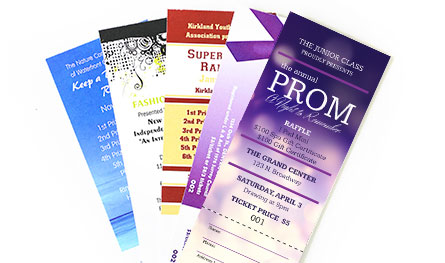
Many of our Custom Ticket customers sell advertising on the backs of their
tickets to help offset the price of printing the tickets. This is now
available for quick tickets as well. On the same page that you fill in the
text for your ticket order you now will find the option to upload an image
for the back of your tickets. For the best results we suggest that you start
with an image that is 1165 pixels by 585 pixels in size. This will help
ensure that the image prints nicely on our presses.
More advertising tips...
Custom Quick Ticket Quantities
We also made a change to the website to allow customers to order any quantity
of Quick Tickets that they need. When you order your tickets, we have replaced
the drop down box of quantities with a text box that will allow you to enter
any number greater than 250 that you like. This will keep customers from
having to buy an extra 200 tickets when they only need 300 for their event.
We hope that you take advantage of these new features and let us know how they
work for you. Also feel free to send any other suggestions that you have for
the TicketPrinting.com website to
support@ticketprinting.com. You
can also keep up to date with new changes as they happen by subscribing to the
Ticket Printing Blog which lists all
of our newest features and promotions.
|